Page 1 of 3
autopilot question
Posted: Mon Jul 27, 2009 4:38 am
by Paul S
I figure someone on here might know.. our new boat came with an autopilot - raymarine ST7000. It doesn't seem to work well, the previous owner said it (the fluxgate) needed to be calibrated, he didn't use it and never calibrated it.
So I know I need to calibrate the fluxgate, but I have a question on the diplay unit itself. It is a pretty basic display - shows the rudder location, and a 'heading'. Now not sure if it is a silly question or not. But what is the heading showing? the actual compass heading (ie should change and match the boats compass) or the desired course? Right now it doesn't change as the boat moves. You can do a 360 swing and the display heading won't change at all. It could be the course heading you want, but the manual didn't say as such. It just said to hit 'auto' and it will keep the course you are on.
Maybe it will become clear once I calibrate the fluxgate.. but I was wondering more what the heading was supposed to show. I thouth it would display and match what the boat's compass was showing.
Any ideas?
Re: autopilot question
Posted: Mon Jul 27, 2009 6:06 am
by Retcoastie
Calibration instructions are in the manual. If you don't have one the online is here:
http://www.retrevo.com/d/ds/progress?do ... 52f2baf061
My Raymarine ST1000 shows a constant heading when the Autopilot has been activated (turn ON). In the STANDBY mode, it shows the current heading which changes with the compass. Perhaps yours is ON and not in STANDBY when you are looking.
Re: autopilot question
Posted: Mon Jul 27, 2009 7:48 am
by Paul S
Retcoastie wrote:Calibration instructions are in the manual. If you don't have one the online is here:
http://www.retrevo.com/d/ds/progress?do ... 52f2baf061
My Raymarine ST1000 shows a constant heading when the Autopilot has been activated (turn ON). In the STANDBY mode, it shows the current heading which changes with the compass. Perhaps yours is ON and not in STANDBY when you are looking.
Thanks
I have the cal instructions. Doesn't look too hard. The heading on my display doesn't change at all, in standby or auto. So something is wrong... I am sure the first step is to calibrate it.. Just got to find a calm day to do it
btw the link didn't work. I do have the paper manual, and you can get the manual from the raymarine website as well.
So basically the numbers should change. Mine doesn't at all in standby and auto.. Thanks for the confirmation
Re: autopilot question
Posted: Mon Jul 27, 2009 9:50 am
by Hamin' X
Heading is the actual direction that your boat is going. Bearing is where you want to go, or the direction of another object.
~Rich
Re: autopilot question
Posted: Mon Jul 27, 2009 10:54 am
by Paul S
Hamin' X wrote:Heading is the actual direction that your boat is going. Bearing is where you want to go, or the direction of another object.
~Rich
true.. but I wasnt sure what it was supposed to be telling me..as the display never changed..

Re: autopilot question
Posted: Mon Jul 27, 2009 11:06 am
by Kelly Hanson East
Simple paul - you are always heading where you are intending to go.....

Re: autopilot question
Posted: Mon Jul 27, 2009 7:14 pm
by James V
when I set my S1 Wheelpilot I found the book to be confusing from RayMarine. After finding out what all those terms meant and tweeked each one I was able to let the autopilot do the work. this is my first one and it took getting used to. After 6000 miles on it I am very glad that I installed and do recommend an autopilot for anybody who is going to make long passages.
Re: autopilot question
Posted: Mon Jul 27, 2009 8:21 pm
by Paul S
Kelly Hanson East wrote:Simple paul - you are always heading where you are intending to go.....
Is that something like a bullet goes where the gun is pointed, not where it is aimed
We are
intending on going to Cuttyhunk this Thursday...May end up in Casco Bay with the way this autopilot is running!
Re: autopilot question
Posted: Mon Jul 27, 2009 9:12 pm
by Hamin' X
Try pumping him up a little more. With more pressure, he may have better view.
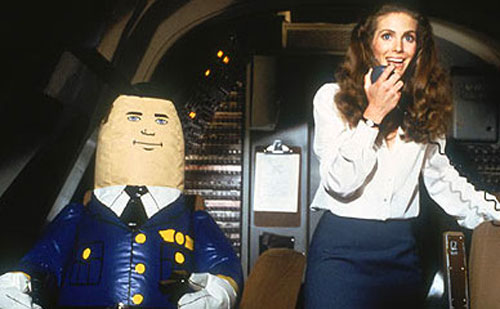
~Rich
Re: autopilot question
Posted: Mon Jul 27, 2009 9:56 pm
by SkiDeep2001
And DO NOT call him Shirley(surely)


Rob
Re: autopilot question
Posted: Tue Jul 28, 2009 3:20 am
by Kelly Hanson East
Its a large building with sick people, but thats not important right now....
Hey - You're Kareem Abdul Jabbar!! No kid, you've got me confused with someone else...
Classic.....

Re: autopilot question
Posted: Tue Jul 28, 2009 4:35 am
by craiglaforce
Oh Stewardess, I speak Jive
http://www.youtube.com/watch?v=3TDRMlwXUZw&NR=1
http://www.youtube.com/watch?v=6fZwMcoDVJM
Chump don't want da help, chump don't get the help! Jive ass dude ain't got no brains anyhow. (I actually use this quote often)
One of the best movies of all time.
Re: autopilot question
Posted: Tue Jul 28, 2009 5:15 am
by Rick Westlake
SkiDeep2001 wrote:And DO NOT call him Shirley(surely)
Rob
Wasn't even planning to call my autopilot Shirley.
It's customary in aviation circles to call the autopilot "George" ...
But in honor of this great classic flick I may name my new X-5 SmartPilot "Otto".
Re: autopilot question
Posted: Tue Jul 28, 2009 9:03 pm
by Paul S
Just an update - fixed it
The NMEA output of the fluxgate was connected to the output of the autopilot. Moving the wires to the INPUT fixed it!
Just got to play with it a bit!
Paul
Re: autopilot question
Posted: Tue Jul 28, 2009 9:39 pm
by Hamin' X
Glad you got your bearings. I figured you'd get headed in the right direction.
~Rich