


Thanks Mike, good find.Chinook wrote:I found this site, which shows coverage (strong signal to weak signal)....
Good advice, I got some good info in the Berrys from another boat once. Other boaters are very helpful.Chinook wrote:... Regarding squalls and waterspouts, visual observation is probably your best tool. With your AIS, you can also hail larger vessels in your vicinity and ask them what they're seeing on their radar, in terms of storm activity and direction of movement. I've dinghied over to one of the larger boats in an anchorage for weather info on more than one occasion.
Other than the passage between FL and Bimini and from the Berrys to Nassau all the water is fairly shallow and you could put an anchor down about any place.
If you don't have charts now one option to keep checking out the various areas is load free OpenCPN on a computer along with NOAA charts for Florida and then buy the NV Charts ($150-$180) and you will get the paper charts and the digital that will work with OpenCPN. That will also give you a backup over there if for any reason your chartplotter developed problems. Don't confuse NV Charts with Navionics Charts. You will see the Navionics get bad reviews. I did also buy the Explorer Charts and had them along but ran the NV on OpenCPN and never had a problem. Some of the NV Charts actually had better detail than the Explorer. I'd buy both though. Use the charts to get from point A to B but only trust your visual when going into shallow water.
Thanks for posting about the dAISy. I might get one and see how it compares to the AIS with my Standard Horizon Radio. They claim it has better performance than the other low cost ones but not as good as some of the commercial ones...
https://www.tindie.com/products/astuder ... pberry-pi/
That might be a deal breaker for me as those big ships, commercial and Cruise ships, move fast and it isn't long from when you see them until they are by you.
The dAISy works easily with a Raspberry Pi computer and I just bought one of these $35 computers to setup as my secondary chart plotter on-board. They are amazing. I bought the Pi, a 10 inch monitor, a wireless keyboard/mouse and a few other things for $200 and now have OPenCPN running on it. If you have a spare keyboard and monitor you could be into one for under $100. One of the main reasons I'm switching to that is that it is only about 10 watts, so it and a monitor would be under 20 watts total electrical consumption.
In time I'll have setting it up on my site but there are others that have the details on the internet. The Pi computer for $35 has 4 USB ports, Ethernet port, WiFi, Bluetooth, HDMI port and a header that you can run all kinds of projects with. For $10 you can get a HDMI to VGA with sound port adapter to run older monitors. I bought this...
https://www.amazon.com/CanaKit-Raspberr ... y+pi&psc=1
... and was up and running in a few minutes with WiFI and it comes with loaded programs for word-processing, etc.. I then loaded OpenCPN on it and my NOAA Charts and NV Bahama charts and was off an running. I think I'm going to love it,
Sumner
============================
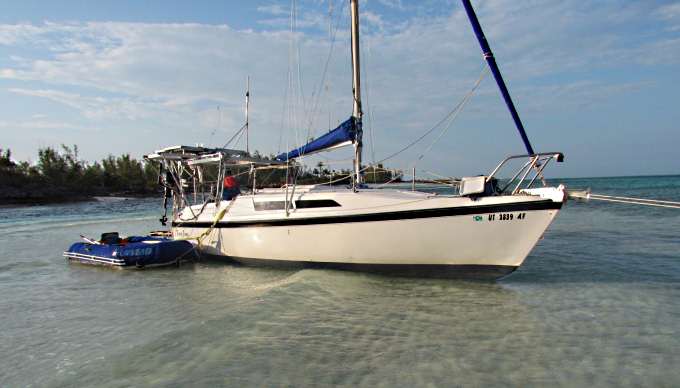
1300 miles to the Bahamas and back -- 2015
The MacGregor 26-S
The Endeavour 37
Trips to Utah, Wyoming, Idaho, Canada, Florida
Mac-Venture Links
 .
.

 .
.  .
.